Migrating a Legacy System to Laravel: A Practical Guide

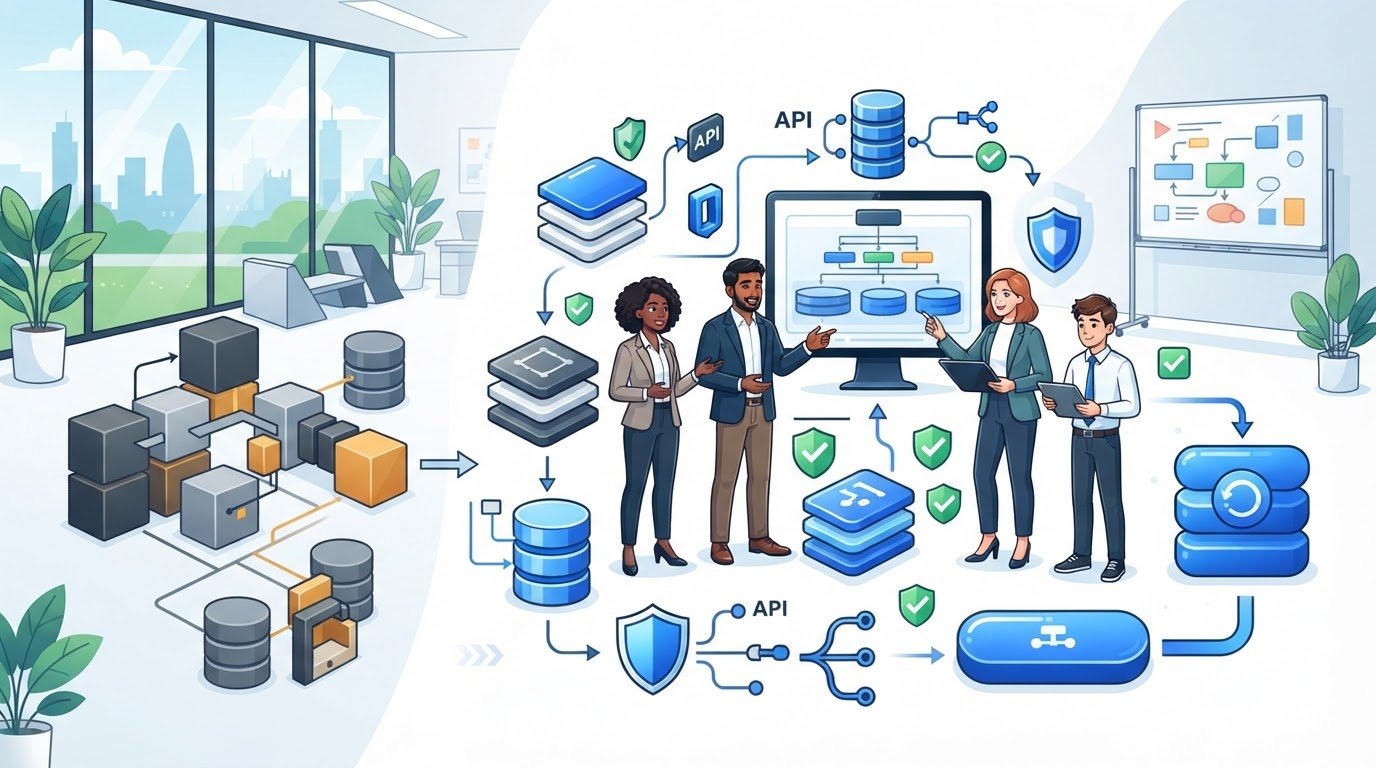
Replacing everything at once is not automatically the safest route. In practice, migrating legacy system to laravel can be more manageable when you move critical workflows in controlled stages, keeping the existing application in place until each new component is ready.
Data integrity, downtime and integrations are common concerns during a major modernisation. The right strategy depends on how your application is structured, how its data is used and which processes the business cannot afford to interrupt. A clear plan helps you make these decisions before migration begins and gives stakeholders practical ways to track progress.
This guide explains how to assess your legacy system, choose between an incremental migration and a full rewrite, and plan the transition around business continuity. You’ll also learn how to protect data, test integrations and prepare the Laravel application for ongoing maintenance. A well-planned migration is more than a framework change: it creates a foundation for the system to evolve.
An application is not automatically a problem just because it is old. Organisations often keep older systems because they support essential processes or contain business logic that would be difficult to replace. Wikipedia’s overview of a legacy system provides useful context, but the decision to modernise should be based on evidence about your application and business priorities.
A Laravel migration is a planned transfer of an application’s behaviour, data and integrations into a Laravel-based system, with each element understood, tested and accounted for. It is not a one-click framework conversion. The case for migrating legacy system to Laravel is stronger when fragile changes, unsupported dependencies or rising maintenance effort are slowing delivery, or when the current architecture blocks product improvements the business needs.
Look for evidence rather than assumptions. A long release cycle might point to friction in making changes, but discussions with developers and business users can reveal whether the cause is the technology, unclear requirements or an approval process. Similarly, a security or reliability concern should be linked to a specific dependency, incident or operational risk. Age alone is not a business case.
Map critical user journeys, the business rules behind them and the people accountable for those processes. Inventory the codebase, database structure, hosting setup, integrations and authentication flows. Note which systems exchange data, how failures are handled and where essential knowledge sits. Record confirmed risks separately from unknowns. Questions about data quality or undocumented rules can affect scope, sequencing and delivery decisions.
Compare the effort and risk of ongoing changes with the value of planned product improvements. If each change requires workarounds or supportability concerns repeatedly delay important features, modernisation may offer a stronger path. If the system is stable and changes remain manageable, targeted maintenance may be more appropriate. For wider decision-making context, read this legacy code modernisation strategic guide.
Before committing, create a decision record: what is failing, what evidence supports that diagnosis, which outcomes matter and what remains uncertain. This helps you compare migration with continued maintenance and explain the rationale to technical and business stakeholders. It also provides a useful starting point for planning around architecture, data and business priorities.
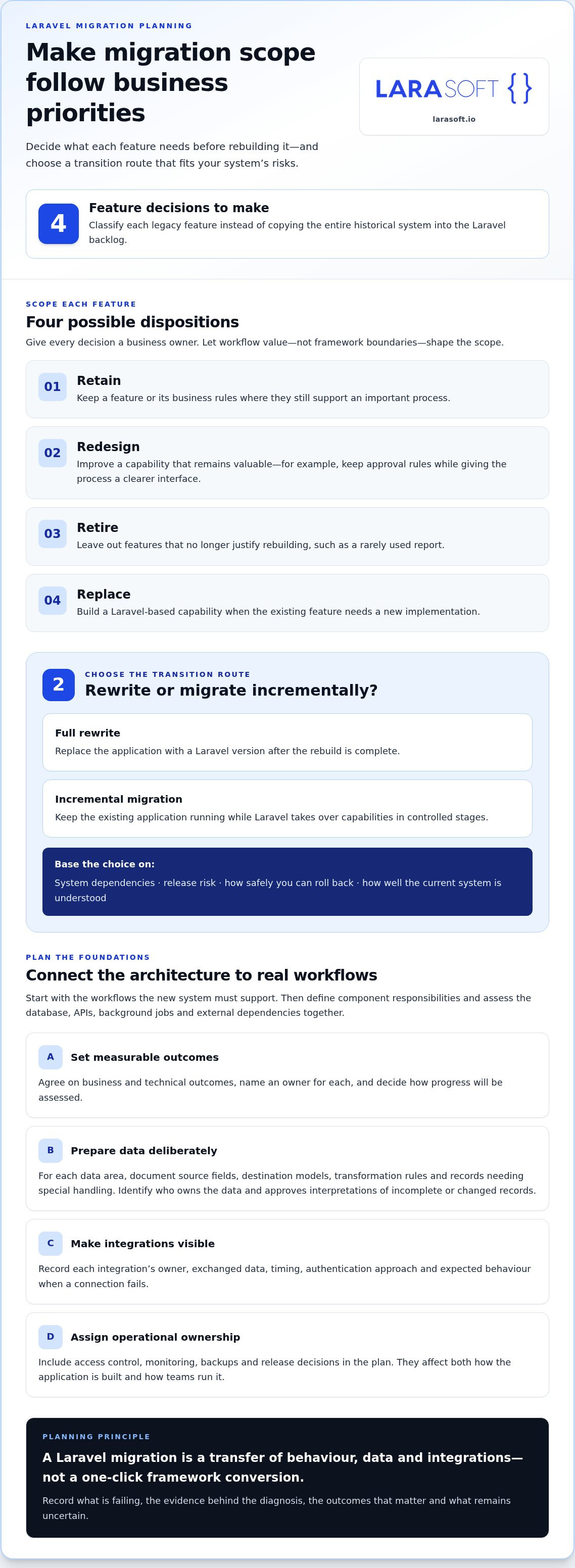
Turn assessment findings into measurable outcomes before choosing an architecture or dividing work into phases. A business goal might be to enable a new customer workflow. Technical measures could include reducing manual workarounds or improving the reliability of a key integration. Agree who owns each outcome and how progress will be assessed. Migration scope should follow business priorities, not framework boundaries.
Classify each legacy feature as retain, redesign, retire or replace, and assign a business owner to each decision. A rarely used report, for example, may not need to be rebuilt, while a heavily used approval process may need to retain its rules but gain a clearer interface. This prevents the Laravel backlog from becoming a like-for-like copy of every historical feature.
Start with the workflows the new system must support, then set clear responsibilities for application components. Assess the database, APIs, background jobs and external dependencies together, because changing one can affect the others. Make frontend decisions based on user and product needs. Vue.js or React may suit a bespoke interface, but neither needs to be added simply because the backend is changing.
For each data area, document the source fields, destination models, transformation rules and records that need special handling. Identify who owns the data and who will approve the interpretation of changed or incomplete records. For every integration, record its owner, exchanged data, timing, authentication approach and expected behaviour when a connection fails. This turns hidden dependencies into planned work.
Assign responsibility for access control, operational monitoring, backups and release decisions as part of the plan. These are not afterthoughts: they influence how the application is built and how teams will run it. IBM’s overview of legacy code migration discusses approaches such as encapsulating existing capabilities, which can help inform decisions about how systems interact during a transition.
For a wider view of delivery planning, see this Laravel development agency strategic guide. A clear architecture and ownership plan gives stakeholders a shared basis for sequencing work, tracking decisions and managing risk. If you’re shaping a bespoke Laravel migration, explore Laravel development support as part of your planning.
The right route depends on how well you understand the system and how safely you can replace its capabilities. A full rewrite replaces the application with a Laravel version after the rebuild is complete. An incremental approach keeps the current system running while Laravel takes over selected workflows. IBM’s overview of legacy application modernization outlines different ways to modernise. For a Laravel migration, the practical choice comes down to scope, dependencies, release exposure and rollback options.
Incremental migration often follows the strangler pattern. You build and release a new capability alongside the old application, then route that workflow to Laravel. Repeat the process until the legacy system’s responsibilities have been replaced. This can limit the scope of each release, but running both systems creates extra work. Data synchronisation, routing, monitoring and clear ownership all need to be designed.
| Consideration | Full rewrite | Incremental migration |
|---|---|---|
| Scope | Rebuilds the application before replacement. | Moves defined capabilities in stages. |
| Dependencies | Can suit well-understood boundaries and workflows. | Can help manage complex dependencies, but requires coordination across systems. |
| Release risk | Concentrates transition risk around a major cutover. | Spreads change across releases, each with its own checks. |
| Rollback | Needs a tested route back to the existing system. | May allow a capability to be routed back, if designed for it. |
A rewrite may fit when system boundaries are understood, critical workflows can be rebuilt and validated, and the business can plan a controlled cutover. Account for hidden rules embedded in old code or staff processes, along with historical data the new system must retain. Rehearse the release and test rollback before launch, so the team knows how to restore service if key checks fail.
Choose incremental delivery when the existing application must remain operational as changes proceed. Select slices by business capability, such as order processing or account management, rather than by arbitrary file counts. Define how users, requests and data move between old and new components, including which system is authoritative for each record. Assign owners to synchronisation and monitoring, and verify the fallback for every release.
Case studies can illustrate what one project achieved, but they cannot predict what another will achieve. Relev.co reports zero data loss in one Core PHP migration and a 15-minute maintenance window in a separate wallet migration. Those are project-specific examples, not typical outcomes or guarantees. For migrating legacy system to laravel, choose the route your evidence, dependencies and rollback plan can support.
Turn the migration plan into repeatable release steps. For each capability, establish a baseline, implement the Laravel slice, test it, rehearse the release, cut over and monitor the result. Define what “working” means before development starts. That could mean a workflow completes correctly, permissions behave as intended or an integration exchanges the expected data.
Compare representative records from the source and destination using agreed reconciliation rules. Check expected totals and key fields, and investigate mismatches rather than treating a successful import as proof of accuracy. Automated tests can cover business rules, calculations and permission boundaries. Manual checks should walk through critical journeys, unusual cases and integration failures. Record results, exceptions and unresolved risks before approving a production release.
Test integrations under failure conditions too. Confirm how the application behaves if an external service is unavailable, returns unexpected data or responds late. Validate authentication and permissions, including whether different user roles can perform only the actions intended for them. These checks help confirm that the Laravel version preserves the required behaviour, not just the visible screens.
Before cutover, assign a release owner and decision-makers, agree the release window and readiness checks, and prepare stakeholder communications. Confirm that backups are usable and specify rollback criteria in observable terms, such as a critical journey failing or data reconciliation falling outside agreed limits. Decide who can halt the release and how traffic or workflows will return to the previous system.
After the switch, monitor application errors, integration health, data consistency and user-impact indicators against the baseline. Keep the release record, test evidence and decisions together so teams can understand what happened and what needs attention. Controlled execution is central to migrating legacy system to laravel: each release should have clear evidence, accountable owners and a defined response if results fall short.
For a migration planned around careful testing and controlled releases, explore Larasoft’s Laravel development services.
Launch is the start of application ownership, not the end of modernisation. A Laravel system needs clear operational responsibility so dependencies stay current, security fixes are assessed, backups are managed, and performance issues or incidents receive attention. Without assigned owners and documented processes, even a maintainable codebase can become difficult to operate.
Build these responsibilities into an ongoing maintenance plan. Document the application architecture, deployment steps, key dependencies and operational runbooks. Make it clear who reviews changes, manages backups, monitors application health and leads the response to production incidents. Define escalation routes so the people responsible know what to do when an issue affects a critical workflow.
Set a review rhythm that reflects the application’s needs and dependency risks. Codebase, dependency and security reviews can identify issues before they undermine stability or delay planned changes. Keep records of decisions and follow-up work, and update operational documentation as the application evolves. A useful runbook should help an authorised team member understand routine deployment and incident steps without relying on undocumented knowledge.
Maintenance is not limited to technical upkeep. Review application performance, user feedback and support patterns, then translate findings into a prioritised improvement backlog. For example, repeated difficulty completing a particular workflow may point to an interface change, a business-rule issue or an integration that needs attention. Prioritise work by its expected business value and operational risk, rather than treating every upgrade as an isolated task.
Clear application boundaries and well-chosen tests make later changes easier to assess and safer to deliver. As needs evolve, API integrations can preserve connections with other systems, while frontend changes using Vue.js or React should follow genuine product requirements. Connect technical improvements to outcomes, such as supporting a new workflow or reducing a known operational constraint. This gives teams a reasoned basis for deciding what to improve next.
When migrating legacy system to laravel, plan for the application’s full lifecycle: engineering, maintenance and measured product evolution. Larasoft’s Laravel development and software maintenance work supports that longer-term view, helping keep bespoke applications stable as business priorities change.
For a practical next step, discuss a Laravel modernisation project with Larasoft.
A successful migration is more than a move to a new framework. It starts with a clear business case, protects essential data and workflows, and leaves the application easier to maintain and extend. The right route may be a full rewrite or a controlled, incremental transition. Choose based on your system’s dependencies, delivery risks and ability to validate each change.
For migrating legacy system to laravel, focus on measurable outcomes: map business priorities to migration scope, test each release against real workflows, and plan for ongoing ownership after launch. That discipline helps protect continuity while giving your team a stronger platform for future product development.
Larasoft’s Laravel web application development, legacy code modernisation and API integration can support the journey from assessment through delivery. Discuss a Laravel modernisation project with Larasoft and take a considered next step towards a more maintainable system.
With a clear plan and sound technical foundations, modernisation can become a practical investment in your application’s future.
Yes. You can migrate a legacy PHP system in stages rather than replacing the whole application at once. Migrating legacy system to Laravel can involve moving a defined workflow or capability first, while the existing system continues to handle other functions. This approach needs deliberate routing, clear ownership of data and checks on how the two systems interact. It can help maintain business continuity, but it is not a one-click conversion.
Map source fields to the new application’s data models and document transformation rules, exceptions and data ownership. Back up the source data, rehearse the migration with representative records, then compare source and destination results using agreed reconciliation checks. Test the business rules that depend on the data, not just whether records imported. Before release, agree how to handle discrepancies and whether the migration can be reversed safely.
Downtime may be kept very low, but a zero-downtime transition should not be assumed. The approach depends on how data changes during migration, how the systems share responsibilities and how traffic or user workflows are switched. Plan and rehearse the cutover, define any required maintenance window, and set rollback criteria in advance. Monitor errors, data consistency and critical user journeys after release so issues can be addressed promptly.
Choose based on how well the system is understood, how complex its dependencies are and what level of release risk the business can manage. A full rewrite may suit an application with clear boundaries and workflows that can be rebuilt and validated before cutover. Incremental migration can be a better fit when the current system must remain operational. In either case, account for hidden business rules, historical data and a tested rollback route.
There is no reliable timeline without understanding the application’s scope and condition. The amount of code is only one factor. Undocumented business rules, data quality, integration complexity, authentication and testing needs can all affect the work. An assessment can identify the main dependencies and uncertainties, then support a more reasoned estimate. For an incremental approach, plan and track delivery by business capability, with progress and release checks agreed for each stage.
They can continue to work, but each connection needs to be assessed and tested as part of the migration. Document what data each API exchanges, how often it is used, who owns it and what happens when a request fails. Check authentication, data formats, error handling and dependent workflows. Where an existing interface must be preserved, design the Laravel application around that requirement or plan a controlled change with affected systems.
Laravel can be used for large and business-critical applications when the architecture, delivery approach and ongoing ownership are designed to suit the system’s requirements. Break responsibilities into clear boundaries, test essential business rules and permissions, and plan monitoring, backups and incident response. Migration suitability depends on the application’s workflows, data and integrations, not its size alone. A structured assessment helps reveal whether a full replacement or staged modernisation is the stronger fit.
Here’s what we've been up to recently.
Certified Quality. Great Prices