Laravel Deployment Strategy: 2026 Practical Guide

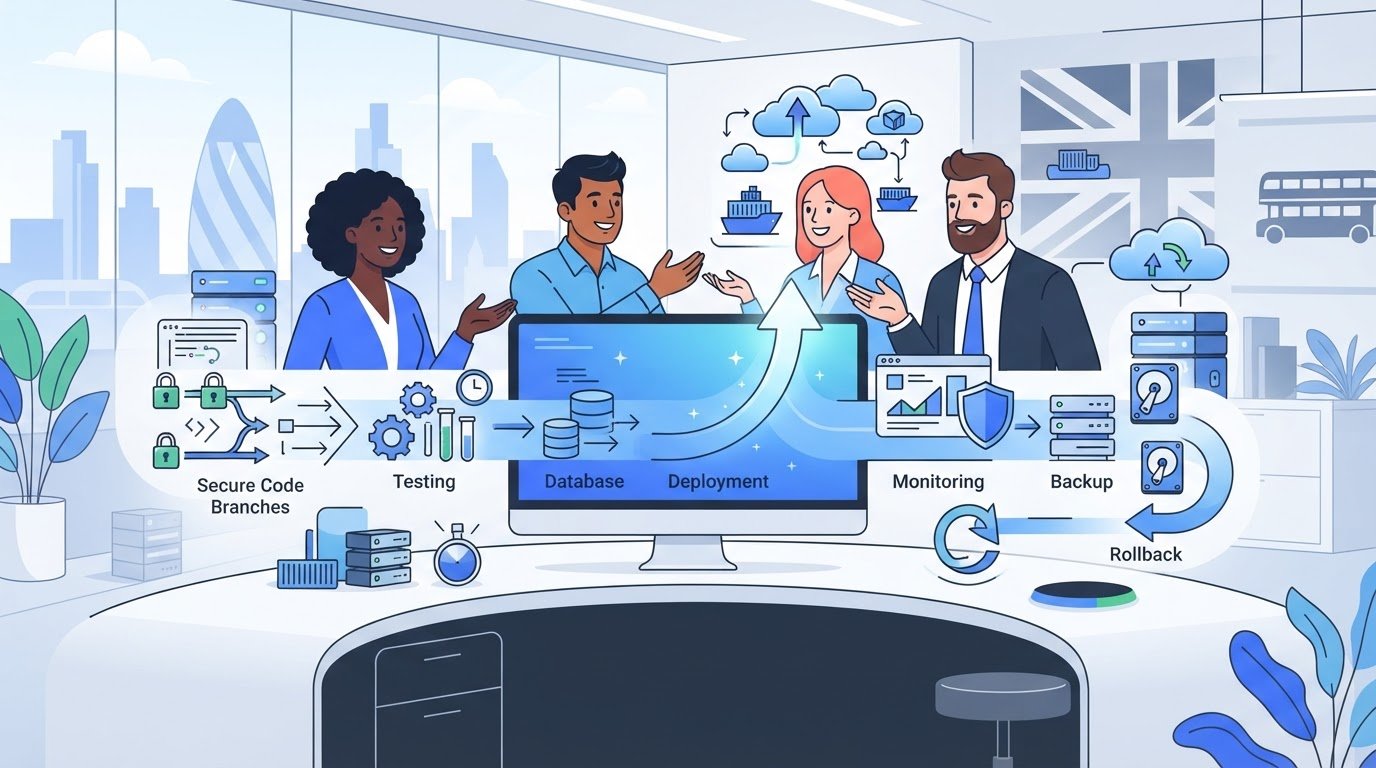
The most advanced deployment platform can be the wrong choice for a Laravel application. A reliable laravel application deployment strategy starts with your team’s operational readiness, not the newest infrastructure option. Managed hosting may suit a small team that wants less server administration, while a VPS, containers or cloud services may be a better fit when the application or team needs more control.
It’s reasonable to want releases that are quick and dependable without adding risks around downtime, secrets, backups or database changes. The answer isn’t simply to automate everything. It’s to make each release repeatable, tested and recoverable, with enough monitoring to identify problems and a clear process for responding.
This guide compares deployment models and explains how to choose one that fits your application, workload and team. You’ll learn how to create a repeatable path from tested code to production, plan migrations and rollbacks, and include security, monitoring and recovery in your operating process. You’ll also see when to review that approach as the application changes, so deployment remains a sound foundation rather than a one-off launch decision.
Choosing where an application runs is only one part of putting it into production. A laravel application deployment strategy coordinates infrastructure, code releases, security and ongoing operations so changes can move from development to production in a controlled way. The broader Software deployment lifecycle includes more than delivery. It also involves preparing, configuring and maintaining software in its working environment.
A successful local build doesn’t guarantee a dependable production release. Production may use different PHP settings, environment variables, permissions, network access or external services. Composer dependencies need to be installed consistently, and the server must be configured to run the application. Data needs its own plan: user uploads and database records must persist when application code changes.
These decisions affect business continuity and team capacity. If a release depends on one person’s undocumented knowledge of the server, that person can become a bottleneck. On the other hand, adding containers or complex infrastructure without a clear need can create more operational work than the team can own. The right approach depends on workload, risk tolerance, recovery requirements and the skills available to manage it.
Application code is what the team builds; the hosting environment is the system that runs it. A release brings those parts together: tested code, its Composer dependencies, environment-specific configuration and access to persistent data. Treat each release as a repeatable change rather than a one-off sequence of manual fixes. That makes it easier to review what changed and confirm that production is running as intended.
Plan for failures that can interrupt service or compromise recovery, including downtime, exposed secrets, failed database migrations and backups that are missing or unusable. Assign responsibility for protecting configuration, applying changes, checking backup integrity and responding when a release fails. Security and recovery shouldn’t depend on assumptions about who will act or what a platform handles automatically.
A deployment strategy is the agreed system for moving tested application changes into production securely, checking their behaviour and recovering when a release doesn’t go to plan.
Use that definition to test each decision: does it make releases more predictable, protect application data or improve recovery? If a choice adds operational complexity without supporting those outcomes, it may not be the right fit. For bespoke Laravel applications, deployment architecture is part of long-term reliability, not simply a launch-day concern.
Choose an approach by starting with the application’s needs, then checking whether the team can operate it. A small internal tool with predictable usage may not need the same infrastructure as a customer-facing platform with time-sensitive transactions, complex integrations or demanding recovery expectations. A sound laravel application deployment strategy should meet current requirements and leave room to adapt, without adding complexity for hypothetical growth.
Document how the application behaves and what it depends on. Consider expected traffic and busy periods, third-party integrations, background jobs, file storage and database needs. Then agree practical targets with stakeholders: how much interruption is acceptable, how quickly service should be restored after a serious failure, and how often releases are expected.
These criteria help distinguish essential capabilities from preferences. Frequent releases, for example, may make automated delivery a priority. Substantial background processing may affect infrastructure and monitoring choices. Martin Fowler’s overview of Continuous Delivery explains practices that support a reliable path from change to release.
Flag compliance or data residency requirements early and have them reviewed by appropriately qualified specialists before selecting infrastructure. Don’t assume a hosting choice meets a particular obligation without checking the requirements that apply to your application and data.
Write down who owns each operational responsibility, including deployments, server and dependency updates, monitoring, backups and incident response. One person may hold several roles, but every task should have a clear owner and documented process. Assess practical skills as well as the architecture: containers or complex cloud environments can be a poor fit if nobody has the time or experience to maintain them.
The best-fit deployment is the one your team can operate reliably. Balance control and flexibility against the actual effort of keeping production secure, observable and recoverable. Separate confirmed needs from possible future requirements, then revisit the decision when usage, team capacity or recovery expectations change.
For complex releases, integrations or legacy constraints, specialist input during planning can help connect application requirements with a sustainable delivery approach. This Laravel development agency guide outlines considerations for assessing that kind of support. Teams considering bespoke Laravel application development or ongoing software maintenance can also explore Larasoft’s Laravel development expertise.
Deployment models differ in who manages the underlying environment and how much control your team retains. Managed application platforms can reduce routine infrastructure work. A virtual private server (VPS), containers or broader cloud services can offer more configuration options, with added operational responsibility. The right laravel application deployment strategy depends on what the application needs and what the team can maintain reliably.
| Approach | Operational ownership | Flexibility | Deployment effort | Scaling considerations |
|---|---|---|---|---|
| Managed application platform | Provider handles some platform operations; confirm what remains yours. | Moderate, shaped by supported features. | Often less server configuration, though application setup and releases remain your responsibility. | Check available scaling options and how they fit workload changes. |
| VPS | Your team typically handles server configuration, patching, and deployment. | High control over the environment. | Requires server administration and a maintained release process. | Plan how capacity and recovery will change as demand grows. |
| Containers | Your team maintains container images and the system that runs them. | High control and consistent environment definitions. | Requires container build, deployment, and maintenance workflows. | Scaling depends on the container platform and its configuration. |
| Cloud services | Ownership varies by service; teams configure and operate the chosen components. | Broad, but can introduce architectural complexity. | Effort depends on the number of services and integration between them. | Capacity can be configured in different ways, with corresponding operational demands. |
Managed hosting can suit a lean team that wants less responsibility for server administration. Don’t assume the label means every operational task is covered. Confirm support for the PHP version the application requires, background workers, persistent file storage, queues and scheduled tasks. Platform abstractions can also limit configuration or portability, so compare the platform’s capabilities with the application’s actual requirements before committing.
A VPS, container platform or cloud architecture may suit teams that need specific configuration or have the skills to operate it. More control also means clear ownership of patching, monitoring, deployment and recovery. Docker can help make development, testing and production environments more consistent, provided the team can maintain its images and workflows. No model is automatically more secure, scalable or cost-effective; those outcomes depend on how it is configured and operated.
Whichever model you choose, hosting convenience doesn’t remove application-level duties. Your team still needs to manage secrets, review database changes and plan data recovery. For a broader checklist of practices that support reliable Laravel applications, see Laravel development best practices. Check current platform capabilities against your application before selecting an approach.
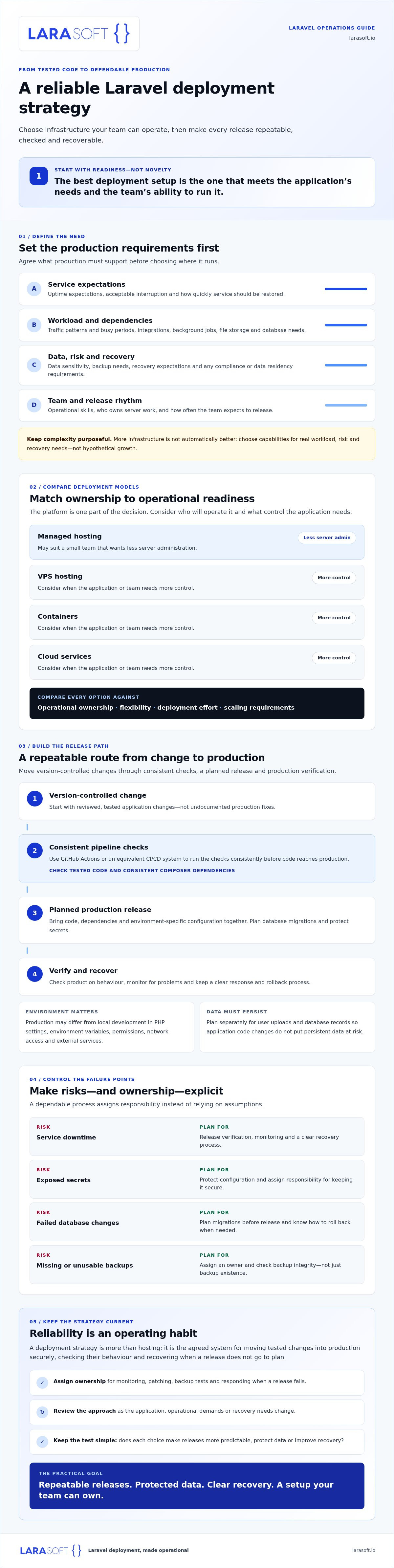
A reliable release process makes each production change traceable, tested and verifiable. Build it as a sequence of controlled steps, not a collection of server commands remembered by one person. CI/CD tools such as GitHub Actions, or an equivalent system, can run consistent checks when a change is proposed and prepare approved changes for release. The right pipeline depends on the application and hosting environment.
Keep code in version control and define a clear approval point for production releases. Automate suitable tests and code checks before approval, then make sure the release uses the intended Composer dependencies. Keep secrets in the hosting environment or a dedicated secrets mechanism, never in the repository. Confirm that file permissions, writable paths, queue workers and scheduled tasks match the application’s needs.
A practical pipeline can follow this order:
Use platform-specific commands only after checking them against the application’s Laravel and PHP versions, deployment tooling and hosting environment. A command that works in one setup may not be appropriate in another.
Review database changes separately from application code. Consider whether a migration could affect existing records, take longer than expected or leave the current application version unable to work with the updated schema. When needed, plan compatible, staged changes so code and data can transition safely. Don’t assume that reverting application code will undo a migration or restore changed data.
After release, check application health, error logs, queue processing and critical user journeys, such as signing in or completing a key transaction. Define recovery steps in advance: who makes the decision, what can be rolled back, and when restoring data requires a separate response. A tested backup and a code rollback address different failure modes.
Documenting this sequence turns a laravel application deployment strategy into a repeatable operational practice, not simply a successful launch. For help aligning a bespoke Laravel application’s release process with its ongoing maintenance needs, explore Laravel development support.
A production setup isn’t finished when the first release succeeds. Dependencies change, integrations evolve and application usage can alter performance and recovery needs. Treat a laravel application deployment strategy as an ongoing operating practice: review it as the application changes, keep responsibilities clear and confirm that recovery procedures still work.
After deployment, check application errors, response behaviour, queue health and relevant infrastructure signals. Compare what you observe with expected behaviour for critical user journeys. Make sure someone is responsible for reviewing alerts and following documented escalation steps. Monitoring only helps when the team knows who responds and what to do next.
Maintain dependencies and the underlying environment through a planned patching process. Backups also need active verification: periodically test restoration using a process suited to the application’s data and recovery requirements. A successful backup job confirms that a copy was created, not that the application can be restored from it.
Review the current approach when releases fail repeatedly, dependencies become difficult to update, production changes aren’t documented or the operational workload grows beyond the team’s capacity. A change in recovery needs or application architecture can also make an earlier deployment decision unsuitable. These are reasons to reassess, not automatic reasons to adopt more complex infrastructure.
Legacy constraints can make releases harder to test and changes riskier to isolate. If older code is limiting safe delivery, the legacy code modernisation guide offers a useful starting point for considering the work involved. Maintenance expertise can also help teams keep custom Laravel applications stable as requirements change.
Start with a practical review: document what the application needs, who owns each operational task, and how the team would respond to a failed release or restore data. Identify the most important gap and address it before adding new tooling. If the requirements exceed your team’s operational capacity, discuss your Laravel application with a development specialist.
A dependable laravel application deployment strategy is shaped by your application’s requirements and your team’s ability to operate the chosen setup. Select infrastructure for the workload you have, with credible room to grow, then make releases repeatable through testing, careful migration planning, and clear verification and recovery steps.
Reliability also takes continued attention. Monitoring, tested backups, timely updates and documented ownership help keep production manageable as the application and its demands evolve. Treat deployment as part of the application’s long-term foundation, not a task that ends at launch.
Larasoft specialises in bespoke Laravel web applications and provides software maintenance focused on long-term stability and security. If you’re assessing a new build, a complex release or the next step for an existing application, discuss your Laravel application requirements with the team. A clear plan can help you move forward with confidence and build on a reliable foundation.
A Laravel application deployment strategy is the coordinated plan for moving tested application changes into production and operating them reliably. It covers infrastructure, release steps, environment configuration, security, monitoring, backups and recovery responsibilities. A sound laravel application deployment strategy fits the application’s workload and the team’s capabilities. It also defines how releases are checked and what happens if a change causes errors, so deployment doesn’t depend on undocumented manual fixes.
Deploy through a repeatable sequence: commit and review changes, run automated tests and code checks, prepare the required Composer dependencies, and configure production secrets through the hosting environment or an appropriate secrets mechanism. Then release the code and apply reviewed database migrations in a planned order. Confirm that the application responds correctly, queues and scheduled tasks run, and logs show no release-related errors. Check commands and steps against your Laravel version and hosting setup.
Choose managed hosting if reducing server administration matters and the platform supports your application’s PHP requirements, queues, workers, storage and scheduled tasks. A VPS can provide greater control, but your team takes on more responsibility for configuration, patching, monitoring and recovery. Neither option is automatically more secure or easier to scale. Compare operational ownership and required capabilities, then choose the model your team can maintain consistently.
Yes, Docker can package an application and its runtime dependencies into containers, helping make development, testing and production environments more consistent. It doesn’t remove the need to manage secrets, persistent storage, database connections, queue processes or deployment security. Before adopting it, confirm that the team can maintain container images and the platform that runs them. Docker is useful when that consistency solves a real operational need, not simply because containers are available.
Database migrations change the schema or data structure that application code relies on, so review their compatibility and impact before release. A migration may affect existing records or cause code and schema versions to become incompatible if deployed in the wrong sequence. Plan how the current and new application versions will interact with the database. Test changes against representative data where appropriate, and don’t assume a code rollback reverses a migration.
A rollback plan should identify who can decide to revert, how to restore the previous application code and how to verify that the service is healthy afterwards. It should also define what happens if a migration changed the database, since reverting code won’t necessarily reverse schema or data changes. Include backup restoration steps for data recovery and test them periodically. Document the limits clearly, including cases where restoring data requires a separate recovery process.
Here’s what we've been up to recently.
Certified Quality. Great Prices