Building a Secure Patient Portal: A Practical Guide for 2026

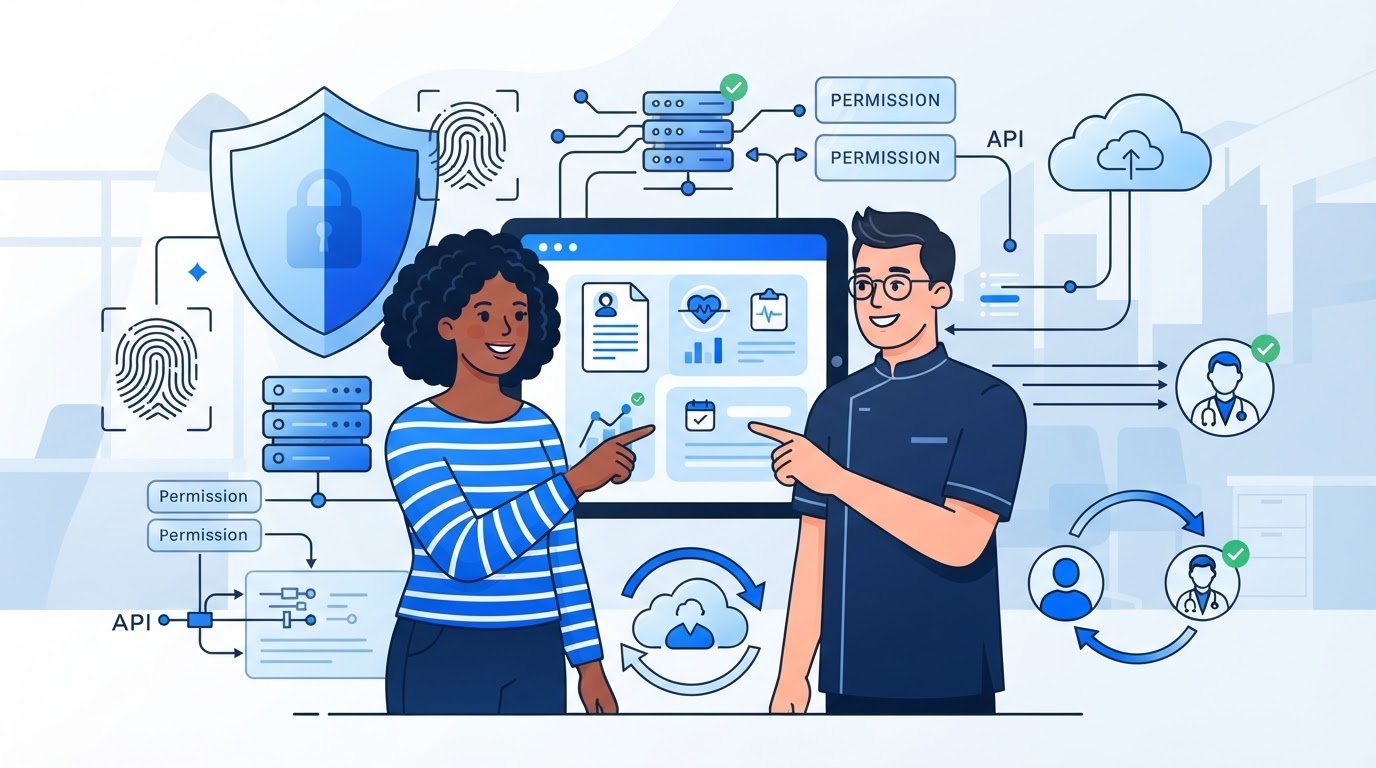
A patient portal can protect the sign-in and still expose sensitive information through weak permissions, an unsafe integration or neglected updates. Building a secure patient portal means designing for the whole service lifecycle, not just the login screen.
Security controls need to be in scope from the start, integrations must support existing workflows without leaking data, and the first release should leave room to evolve. In the UK, planning also means considering UK GDPR responsibilities and, where NHS data or systems are involved, the Data Security and Protection Toolkit.
This guide sets out a phased process for defining patient and staff needs, setting security and governance controls, and integrating with existing systems. You’ll also find a practical framework for weighing a custom-built portal against an existing platform, so the decision reflects your workflows, integration needs and long-term plans. Larasoft builds bespoke Laravel applications and integrates APIs to support specific processes. A staging server is provided for client testing during development, code ownership is fully transferred to the client under the standard service agreement, and long-term support is available through service level agreements (SLAs).
A patient portal is a secure digital route to selected patient services and information. Its scope might include viewing parts of a record, requesting an appointment or sending a message. Decide what belongs in the portal based on patient needs and the services staff can support. A useful Patient Portal Overview can help frame common capabilities, but the organisation’s own journeys and data flows should determine the design.
Start with the service, not a preferred framework or a long feature checklist. For each proposed task, identify who initiates it, what information is needed, which team acts next and how the process ends. This exposes hand-offs and exceptions early, before they become costly changes to the application or its integrations. In the UK, the UK GDPR and Data Protection Act 2018 inform planning for personal information. The organisation should assess the duties that apply to its role, data and service before deciding how the portal will handle them.
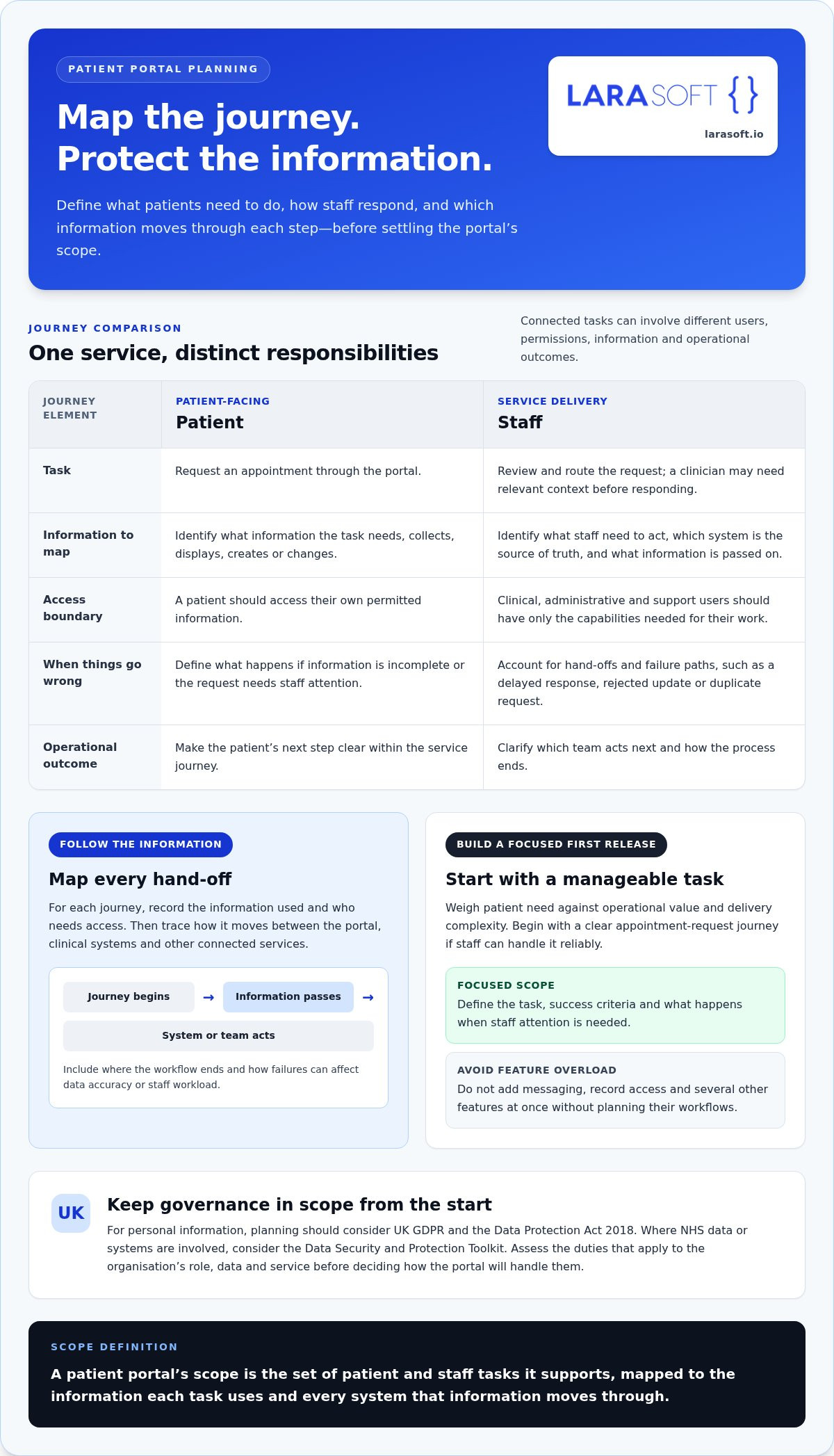
Map patient-facing tasks separately from clinical, administrative and support workflows. A patient may want to request an appointment; a receptionist may need to review and route that request; a clinician may need relevant context before responding. These steps are connected, but they involve different users, permissions and operational outcomes.
Prioritise a focused first release by weighing patient need against operational value and delivery complexity. For example, begin with a clear appointment-request journey if staff can handle it reliably, rather than adding messaging, record access and several other features at once. Define success for each task, including what happens when information is incomplete or a request needs staff attention. This gives the team a practical boundary for the first release while leaving later capabilities open to planned expansion.
Build an inventory before finalising features. For each journey, record the information collected, displayed, created or changed, who needs access, and which system is its source of truth. A messaging feature, for instance, may involve patient identity, message content, attachments and routing details. Each item can have different access and retention considerations, so avoid treating “patient data” as one undifferentiated category.
Then map how information moves between the portal, clinical systems and other connected services. Mark where a workflow begins and ends, what passes through an integration, and which team or system handles each step. Include failure paths: a delayed response, rejected update or duplicate request can affect data accuracy and staff workload. This map gives the team a concrete basis for security and integration decisions.
Use this definition to align scope: “A patient portal’s scope is the set of patient and staff tasks it supports, mapped to the information each task uses and every system that information moves through.” This connects user needs directly to data-flow mapping. It also helps teams identify unnecessary collection early, clarify access needs and build a first release around defined workflows rather than assumptions.
Security decisions should follow the risks identified in the portal’s workflows, not arrive as a checklist after the screens are built. Start with a threat model: identify sensitive information, who might misuse or gain access to it, and which access paths could cause the greatest harm. Consider ordinary failure scenarios as well as deliberate attacks, such as a patient seeing another person’s appointment details or an integration sending an update to the wrong record.
Use those scenarios to set controls and acceptance criteria. For each feature, record the information it handles, the users and systems that can reach it, and what should happen if a request fails or access is no longer appropriate. This connects security decisions to implementation and testing. The Definition and Purpose of Patient Portals from HealthIT.gov provides context on secure access to health information, but the organisation’s own threat model must guide its control choices.
Define roles and least-privilege permissions before building screens. A patient should access their own permitted information; clinical, administrative and support users should receive only the capabilities needed for their work. Assess multi-factor authentication against user risk and workflow needs, including how someone can recover access if they lose a device. Test account recovery as carefully as sign-in, since weak recovery can undermine strong authentication.
Include session expiry and access revocation in acceptance criteria. Test what happens when a user signs out, a session expires, an account is disabled or a person’s role changes. These outcomes should be consistent across the portal and connected services.
Document what each API exchanges with clinical record and appointment systems, why the exchange is needed, and which system is authoritative for each data item. Validate information at system boundaries, limit each integration’s permissions, and define safe error handling so a failed request doesn’t expose sensitive details or silently create inconsistent records. Treat messages and uploaded files as security-critical too: restrict permitted file types, validate content, control access and avoid displaying untrusted input as active content.
Protect information in transit and at rest. Specify how encryption keys are stored, accessed, rotated and separated from the data they protect. Set clear boundaries for logs: record events needed to investigate access and changes, but don’t copy unnecessary health information into audit records. Encrypt backups, restrict who can restore them, and test recovery so the organisation knows whether essential data and services can be restored as intended. Healthcare organisations seeking specialized data protection and threat monitoring strategies can also reference healthcare cybersecurity frameworks from providers such as oadtechnologies.com.
Layered security reduces exposure by combining identity checks, least-privilege access, protected data flows, monitoring and tested recovery, without making any single control a guarantee. Security also needs clear ownership after release. Larasoft’s bespoke Laravel development and API integration can align an application with specific workflows. A staging server is provided for client testing during development; code ownership is fully transferred to the client under the standard service agreement, and long-term support is available through service level agreements (SLAs).
There’s no single best route for every organisation. An existing portal may suit standard patient tasks; a configurable platform may bridge common requirements and workflow variations; a bespoke application may be appropriate when workflows or integrations need tailored behaviour. Compare each approach against the needs already mapped, including data governance and who will manage future changes. Building a secure patient portal is a decision about operational fit and long-term control, not simply a choice between buying and building.
Separate requirements into two groups: those that can be met through configuration, such as labels or standard appointment options, and those that change how work gets done, such as routing a request through a distinct clinical review process. Avoid customising a platform to mimic every preference. Prioritise genuine workflow needs, and record the implications of each approach for accessibility, reporting, data access and release control.
An existing portal can be a sensible fit if its standard workflows and available integrations cover the defined requirements. Examine where configuration ends, how the organisation accesses its data, what reporting is available and how platform updates affect release control. Assign operational ownership too: identify who manages settings and user access, coordinates changes, and handles the impact if a supplier alters or retires a feature.
Bespoke development may suit distinct workflows or integrations that don’t fit a platform’s configuration boundaries. Assess the required architecture rather than choosing a framework by preference: Laravel can provide the application layer, APIs can connect systems, and Vue.js can support an interactive frontend. The Vue.js frontend development guide offers relevant context on frontend planning.
Use this comparison to make trade-offs visible, rather than assuming one approach is always cheaper or faster:
For any route, make security and governance criteria part of the decision. NIST’s NIST Cybersecurity Guidance for Healthcare offers a reference point for considering healthcare cybersecurity risks; it does not replace checking the UK duties that apply to the organisation. For bespoke delivery, a staging server is provided for client testing during development, code ownership is fully transferred to the client under the standard service agreement, and long-term support is available through service level agreements (SLAs).
Larasoft is an Official Laravel Certified Company, with Laravel developers since 2012 and almost a hundred web and mobile apps. Its record includes 99 % Satisfaction, 24 / 7 Support, £100 k + Sales, and the distinction Most Reliable Web Development Agency in the UK Enterprise category for the SME Awards 2021.
Building a secure patient portal calls for a sequence of decisions that connects user needs, system design and evidence from testing. Set acceptance criteria before development begins, so every feature, user role, integration and security control has a clear outcome. This gives clinical, operational and technical teams a shared basis for reviewing progress and deciding whether the portal is ready to move forward.
Keep requirements traceable: connect each workflow to its users, data categories, dependencies and acceptance criteria. Prototype the journeys with staff and representative users, then review features in increments so the team can identify mismatches early. For wider project planning, the custom web application development process provides broader context for structuring a tailored application project.
Test whether users can access only the functions and records permitted by their roles. Check authentication, session expiry, account recovery, input validation and API behaviour when connected systems return errors, time out or reject data. Include file handling, audit events, keyboard navigation and assistive-technology use in the test plan. Arrange appropriate security testing, document findings and remediate issues before production release.
A staging server is provided for client testing during development, allowing the organisation to review journeys and workflows before launch. Pair that review with a release checklist, named approval owners and a rollback plan. After release, monitor relevant events, review access and address software updates as ongoing responsibilities, not tasks that end when testing passes. Code ownership is fully transferred to the client under the standard service agreement, and long-term support is available through service level agreements (SLAs).
Discuss your patient portal development project with Larasoft to plan a structured path from requirements through testing and release.
A portal’s security depends on what happens after launch as well as how it was built. Assign named owners for application changes, access reviews, incident handling and supplier coordination. Without clear responsibility, routine tasks can be missed: a staff member’s access may remain active after their role changes, or an integration update may go live without a clear review path.
Document responsibilities in a handover plan teams can use. Explain how code is maintained, who administers access, how changes are requested and approved, and who coordinates an investigation if an incident affects the portal or a connected service. Schedule dependency reviews, backup checks and incident-response exercises as ongoing work. These activities help keep the application aligned with changing workflows and technical requirements.
Under the standard service agreement, code ownership is fully transferred to the client. Pair that ownership with a practical technical handover: document the application architecture, integrations, deployment process and access responsibilities, and identify the people who can approve and manage changes. A staging server is provided for client testing during development, supporting review before release. Long-term support is available through service level agreements (SLAs), which can set out an ongoing support arrangement.
Maintenance also means planning for change. Review dependencies, test backups and keep recovery procedures current, with support from managed IT providers like ManagePoint for reliable data protection and continuity. For an application that needs an upgrade path, the legacy code modernisation guide explores how technical change can be approached with a longer-term view.
For organisations building a secure patient portal around distinct workflows or integration requirements, Larasoft develops bespoke Laravel web and mobile applications, with API integration and Vue.js or React frontend capabilities. Larasoft is an Official Laravel Certified Company, with Laravel developers since 2012. A staging server is provided for client testing during development, code ownership is fully transferred to the client under the standard service agreement, and long-term support is available through SLAs.
The company’s stated proof points are 99 % Satisfaction, 24 / 7 Support and £100 k + Sales. Larasoft has built almost a hundred web and mobile apps and received the distinction Most Reliable Web Development Agency in the UK Enterprise category for the SME Awards 2021. These credentials describe development experience and service delivery; they don’t constitute healthcare certification or a guarantee of compliance. The organisation remains responsible for establishing and maintaining the controls that apply to its portal.
A practical next step is to define the priority patient and staff workflows, the systems they must connect to, and who will own each responsibility after launch. Larasoft can work with you to turn those requirements into a clear technical plan for a custom application and its ongoing support.
Building a secure patient portal is an opportunity to shape digital access around real patient needs while establishing a foundation your organisation can manage over time. Turn priorities into a practical project brief: define the first workflows, identify required integrations and agree who will own decisions as the application develops.
Larasoft is an Official Laravel Certified Company, with Laravel developers since 2012. For custom application projects, a staging server is provided for client testing during development, code ownership is fully transferred to the client under the standard service agreement, and long-term support is available through service level agreements (SLAs). These are practical foundations for testing, ownership and continuity, not a substitute for assessing the organisation’s applicable responsibilities.
Start with the workflows and system connections that matter most. Discuss your patient portal project with Larasoft and take the next step towards a well-planned application designed around your requirements.
Not necessarily. A patient portal describes the digital service patients use to access selected information or interact with a provider. It may be delivered through a responsive website, a mobile application, or both. Choose the access model around patient needs, accessibility, device use and operational workflows. For example, consider how patients will complete a task on different screen sizes. Keep identity checks, permissions and data protection consistent across every interface.
Start with the tasks patients and staff need most, such as viewing selected records, requesting appointments or communicating with a care team. Then define authentication, role permissions, audit records, secure data handling and integration behaviour. The right feature set depends on the organisation’s workflows and systems. For each proposed feature, specify who can use it, what information it handles and what happens when a request is incomplete or needs staff review.
Integration typically uses documented interfaces to exchange only the information and actions needed for agreed workflows. Define data ownership, identity matching, permissions, validation, error handling and auditability. The specific interface depends on the systems involved. For example, a request to update contact details should have a clear source of truth and a defined response if the record cannot be matched. Map data flows early and test failed exchanges as well as successful ones.
HIPAA is a United States health information privacy framework, so it shouldn’t automatically be treated as the governing standard for a UK service. UK organisations should assess applicable UK data-protection requirements, including UK GDPR and the Data Protection Act 2018. Sector-specific obligations may also apply. Before turning a framework into a compliance claim or project acceptance criterion, obtain appropriately qualified advice on how the rules apply to the organisation’s role and service.
Yes. Laravel can be used to build bespoke web applications, including portals shaped around defined workflows and integrations. The framework alone doesn’t make an application secure or compliant. Security depends on the architecture, implementation, access controls, testing and ongoing operation of the complete system. For example, assess how a portal handles a change in user permissions across its application and connected services, and make ownership of each component clear before release.
The portal should handle integration failures deliberately rather than presenting incomplete information as current. Define which functions can continue, what patients see and how staff identify unresolved issues. For example, if an appointment update can’t be confirmed, the portal should avoid showing it as final. Agree how delayed exchanges will be reconciled, test these scenarios before launch and document who responds, investigates the issue and communicates its status to affected users.
Here’s what we've been up to recently.
Certified Quality. Great Prices